Bounce house rental software
Bounce house rental software that runs the weekend, from the first request to the last stop
The bounce house software for solo and small-crew operators: photograph your fleet, publish a storefront that takes requests at any hour, and accept the ones you want — then, on Solo and up, the contract is e-signed, the deposit is taken at signature, and you walk into delivery morning with your stops ordered and your setup record built from your own checks.
BounceDay is built around the days a bounce house operator actually lives: the deliveries, the setups, and the pickups, run from a phone in a driveway. Most bounce house software started life as generic event-rental or scheduling software with inflatables bolted on later; this one did not.
It is inflatable rental software that already knows a unit has to be anchored, a waiver has to be signed, a deposit has to clear, and the weather can end the day — and it handles every one of those without a warehouse full of features you will never open.
The whole weekend, from their first message to your numbers
- 1
Photograph the fleet
There is no catalog to build. Snap each unit once in the storage unit or the driveway; the app drafts the listing — name, type, dimensions — and you approve it. Nothing joins your fleet until you say so, and every unit gets its own availability so you never double-book.
- 2
Take requests at any hour
Your fleet goes up at a link you can put on the side of the truck — published on every plan, Free included. A customer picks their date, sees which of your units are already promised to somebody else that day, and sends through the ones they want. On a paid plan they can price it themselves, labeled an estimate you confirm.
- 3
Accept the ones you want
The request waits in your inbox until you say yes, and accepting is what makes it real — checked against your fleet, so the same unit is never promised twice. Instant booking comes with Pro and up, and it stays off until you switch it on; switch it on and requests inside the limits you set — how close to the date, how many units, how long the date is held — accept themselves and hold the date, while everything else keeps waiting for you.
- 4
Signed and deposited — Solo and up
Accepting sends the quote, and the contract follows with your waiver and weather policy written into it — e-signed on Solo and up, with the deposit taken at signature before you pull out of the driveway. The money settles to an account you own — tracked to the penny, and never resting in a BounceDay balance.
- 5
Walk the day’s ordered stops — Solo and up
Open Today, on Solo and up, to your stops in delivery order. Photo-stamp the anchors, the blower, and the clearances as you go. It all runs offline — queued photos and check-offs sync the moment you are back on signal.
- 6
Hand over a real safety record
Every finished checklist composes an insurer-ready setup record: a real PDF at a share link you give a venue, a school, or your insurer. It records that you completed your own check — it does not certify safety, and never claims to. Those records are free on every plan, watermarked on Free; from Solo up, the insurance renewal pack binds a year of them together with your fleet register and your booking activity, so renewal is one document instead of a night of searching.
- 7
See which units earn their space
At season close you know exactly what to run more of and what to sell: per-unit P&L pulls revenue, utilization, and repair-and-cleaning cost together, down to the penny. The season report puts the same numbers, your bookings completed, your busiest month, and your weather flags and reschedules into one closing document. Both come with Pro and up; the raw export is free on every plan.
What a generic calendar leaves you to do yourself
A storefront that works while you’re on a ladder
Share one link. Your storefront shows your fleet and takes booking requests any hour — a customer picks a date, sees which units are already booked, and sends a request you confirm. It waits in your inbox, and accepting is always your act: by hand, or by the rules you wrote. An estimate — nothing is charged until it is accepted.
Never promise the same castle twice
You see what’s free on any date before you confirm it, because every unit carries its own availability and the app checks for conflicts as you go — no double-book, no spreadsheet, no “let me check and get back to you.”
They agreed to your terms before they booked
Your liability waiver and weather policy are written into the contract the customer e-signs on Solo and up, so agreeing to book is agreeing to every term — with a signed timestamp proving they saw it. The deposit link goes out only after the signature.
Weather you can act on, not panic over
On the tiers that include it, a flag shows the raw NWS forecast, the moment it was pulled, and the wind or rain threshold you set — then a one-tap reschedule offer you send when you decide. It flags; it never auto-cancels and never auto-reschedules.
How to evaluate bounce house rental software
Seven things decide whether a system survives contact with a real delivery weekend. None of them are visible on a feature list, and every one can be checked directly on whatever you are evaluating rather than taken on trust.
Availability that belongs to the unit, not to the day
General scheduling tools hold a calendar of appointments. A rental operation holds a calendar per castle: the same date can be wide open for four of your units and already promised on the fifth. If the system cannot express that, the conflict check you are relying on is not a check at all — it is you, remembering.
How to test itAdd two units, then try to promise the same one twice on one date. If it saves without an objection, you have a calendar, not rental software.
It knows a unit has to be anchored
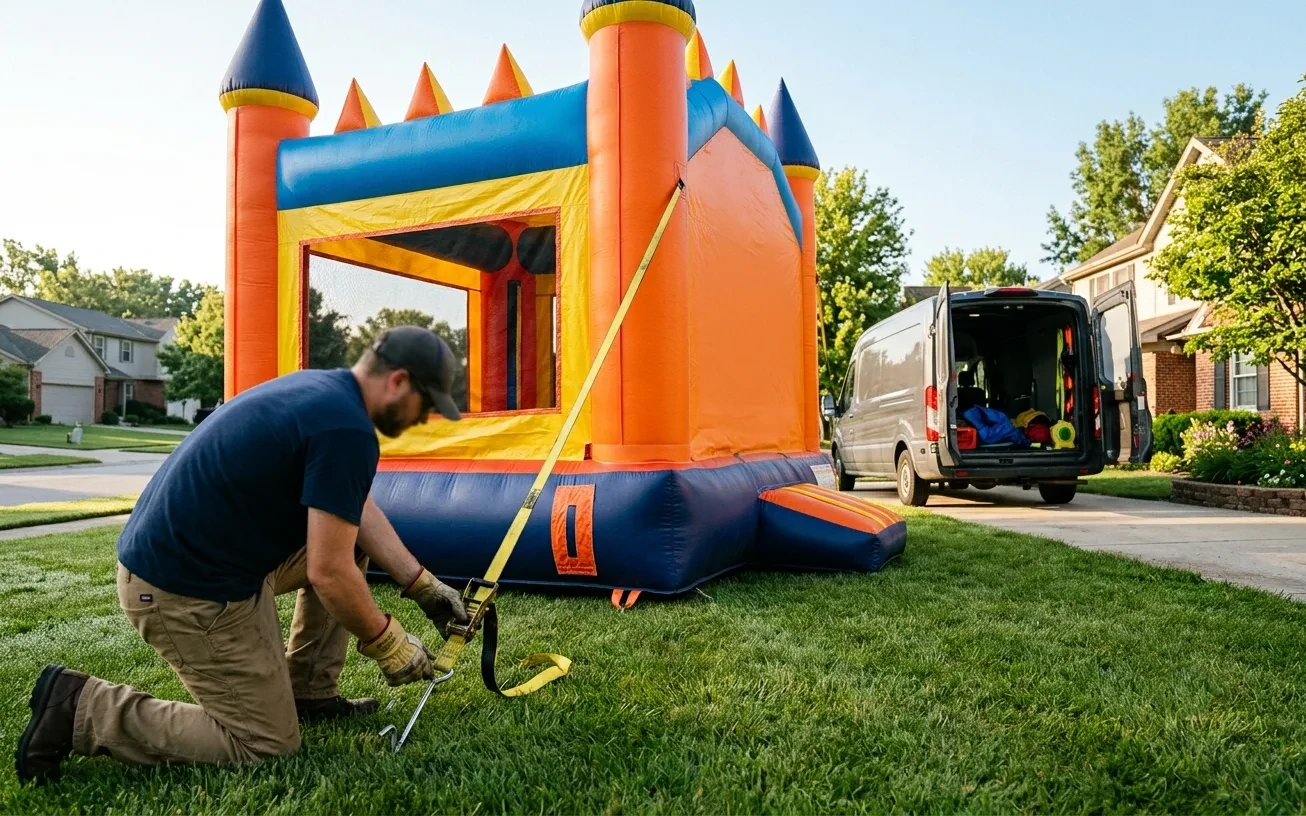
The difference between generic rental software and something built for inflatables shows up on delivery morning. Anchors, blower, clearances, and the surface you set up on are the record you will want if anyone ever asks what happened — and a system with no place to put that record leaves you photographing units in a camera roll nobody can find in a year.
How to test itAsk where a completed setup check lives afterwards, and whether you can hand a venue a single link to it. If the answer is a photo library, the record does not exist in any form you could produce under pressure.
The waiver rides inside the thing they sign
A waiver emailed as a separate attachment is a waiver a customer can say they never saw. When your liability language and your weather policy are written into the agreement itself, agreeing to book is agreeing to the terms, with a timestamp against the signature.
How to test itPut one real booking through end to end and read what the customer receives. If the terms arrive as an attachment rather than as part of the document being signed, that is the gap.
Weather that flags rather than decides
Wind is the risk that actually ends a bounce house day, so a forecast in front of you is useful. A system that acts on the forecast by itself is not — an automatic cancellation is a booking you lost to a spike in a forecast that had changed again by Saturday morning.
How to test itAsk directly what the software does when the forecast crosses a threshold. The right answer names the raw forecast, the time it was pulled, and a decision you make. Anything that auto-cancels or auto-reschedules is deciding your revenue for you.
It keeps working when the signal does not
Setups happen in back yards, park corners, and church parking lots, and cellular coverage in those places is a coin flip. A checklist that will not open without a connection is a checklist you stop using by the third stop.
How to test itPut the phone in airplane mode halfway through a checklist and keep going. Then turn it back on and confirm nothing you entered was lost.
Money you can trace, in an account you own
Deposits are the difference between a held date and a hopeful one, so how the money moves matters as much as whether it moves. Two questions decide it: who holds the funds between the customer paying and you being paid, and how long they hold them.
How to test itAsk where a deposit sits between the card being charged and your bank balance changing, and how many days that takes. A clear answer is a good sign in itself; a vague one usually means a balance you do not control.
Numbers per unit, not just a revenue total
Total revenue hides your worst purchase. A castle booking eight weekends and a water slide booking three can post similar revenue while one earns far more per dollar invested — and only per-unit numbers tell you which is which, or when a unit has started costing more in cleaning and repair than it brings in.
How to test itLook for revenue, how often each unit went out, and what it cost you in repair and cleaning, side by side, per unit. If the reporting stops at a single total, it cannot answer the only question worth asking at season close.
BounceDay is built to meet all seven, and you should hold us to every one of them the day we open. An operator who chose on their own criteria stays; one who was sold on a feature grid leaves in the second season.
Bounce house rental software, answered
What is bounce house rental software?
It’s the system a bounce house operator uses to run bookings and the day of the event instead of a phone full of texts and a paper calendar: a fleet with per-unit availability, e-sign contracts with deposits and an ordered day-of run with safety checklists on Solo and up, and the numbers that show which units earn. BounceDay does all of it from a phone.
Do I need software if I only rent a few inflatables?
A small fleet is exactly where a missed detail hurts most — one double-booked castle or one unsigned waiver can cost you a booked date or a review. Bounce house software earns its place at three units, not thirty, because it keeps the booking, the deposit, and the setup record straight without a back office.
Does it work for other inflatable and party rentals?
Yes. It’s inflatable rental software at heart — water slides, combos, obstacle courses — and the same booking, day-of, and record tools fit adjacent party rentals like tents, dunk tanks, and tables and chairs. If you deliver it and set it up, it fits.
Can I take bookings and deposits from my phone?
That’s the point. Build the quote, send the branded contract with your waiver inside it, and — on Solo and up — take the deposit at signature, all from the truck. Your client pays by card or bank transfer, or on your own payment links, on every plan; you never open a laptop, and the money settles to an account you own.
Will it tell me what’s coming before the weekend hits?
A Thursday briefing arrives before the week you are about to work — by push and by email — with what is booked, which units are going out, which deposits are still pending, and which requests you have not answered yet. An empty week stays quiet rather than buzzing you for nothing. It is on unless you turn it off, and it comes on every plan, Free included.
See a whole weekend, start to finish
Three units, a published storefront, and the request, the booking, the setup record, and the P&L (Pro and up) lined up behind them: a whole weekend, waiting for you the day we open for the season. Free to start — no card, no countdown.
Start free